

Free
Free
Forever, no commitment
A loyalty card in Wallet and a QR code. Try Walio with no risk.
Feature
After a few visits, Walio automatically sends the customer a push asking how it went. Happy customers are sent on to write a Google review; unhappy ones write straight to you, not in public.
Stars on Google Maps are the first thing a new guest sees. Yet happy customers rarely write a review on their own.
Walio asks your regulars for you. Happy ones go on to Google; unhappy ones write straight to you.
In the portal under Automation → Collecting reviews, you add the link to your business on Google Maps and set after which visit Walio should get in touch (the default is 4).
As soon as the customer reaches the visit threshold, they get a push to their card on their own with a link to a short rating page. They install nothing; it opens on their phone.
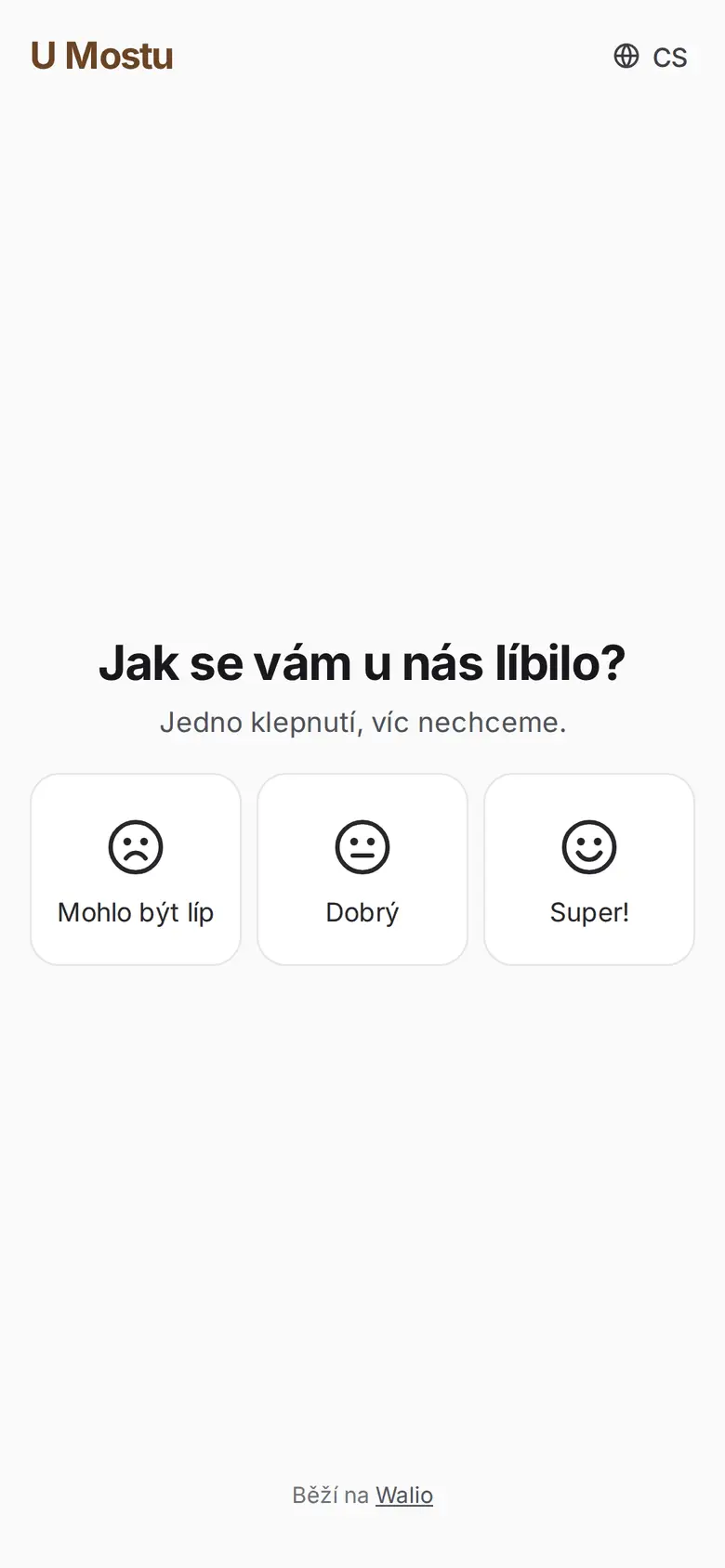
On the page they tap one of three options: Could be better, Good or Great!. It takes a few seconds, and you see it in your stats.
A happy customer goes straight on to Google to write a review. An unhappy one writes a message to you only, which arrives by e-mail and in the portal, not on Google.
Jane, how are you liking it here? We’d love a rating 🌟
Walio asks for the review by itself, while the visit is still fresh in the customer's mind. Reviews add up without anyone having to beg for them at the till.
Goes out after the fourth visit (you set the number), to the same guest at most once every six months.
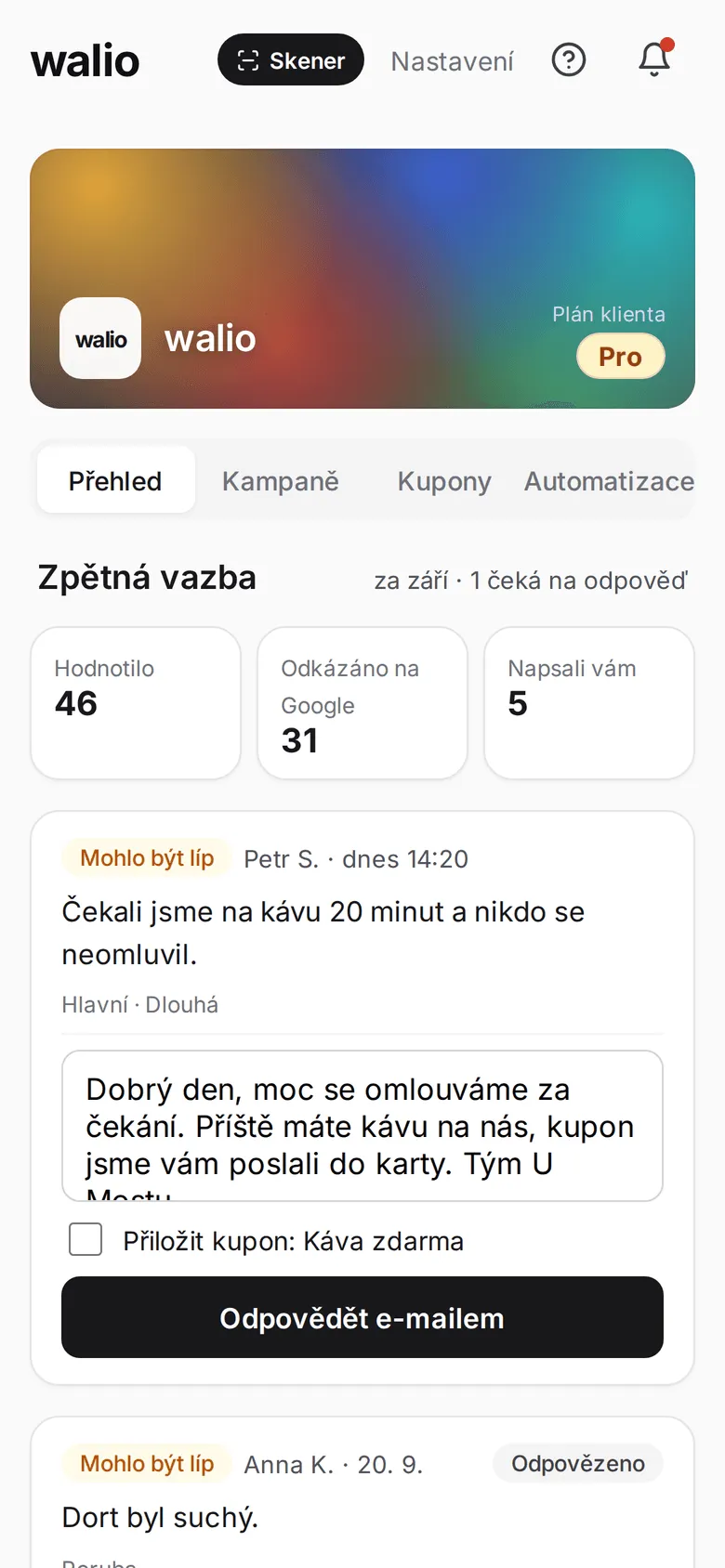
Anyone who picks “Could be better” writes straight to you, not to Google. You find out what went wrong and can put it right.
Reply by e-mail right from the portal, with a coupon if you like.
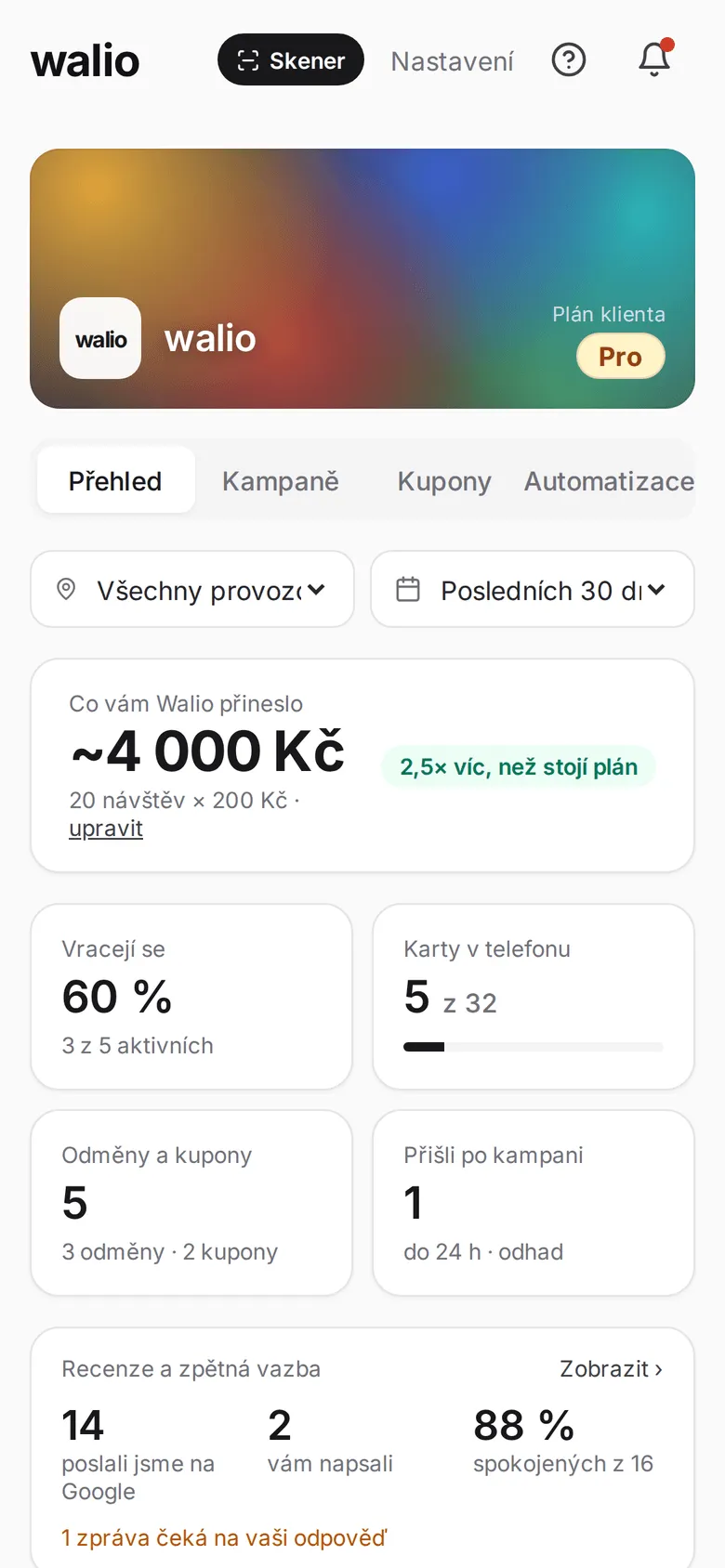
In the portal you'll see how many people you reached and how many reviews and private feedback came out of it.
You’ll find the numbers on the portal overview.
The rating request is Walio’s default text; you can rewrite it. The screens are from the portal.
The request goes to people who have been in a few times and keep coming back. You set the visit threshold yourself.
Set it up once and it runs itself. Staff don't have to ask anyone for anything or hand anything out.
Everything happens through the card in Wallet and a simple page on the phone. No app, no registration.
Choose the plan that fits your needs. See the full overview in pricing.
Free
Forever, no commitment
A loyalty card in Wallet and a QR code. Try Walio with no risk.
$41 / mo
with annual billing (otherwise $49)
Wallet card, QR code, basic statistics. Everything for the first step.
$75 / mo
with annual billing (otherwise $89)
Push campaigns and a monthly report on top. Customers come back on their own.
$117 / mo
with annual billing (otherwise $139)
Personal automation, offer recommendations and unlimited push campaigns.
Have more questions? Write to us or call. We'll figure it all out together.
Full automatic review collection is available from the Growth plan. On the Start plan you see a teaser with an estimate of how many reviews you could gain, so you can tell what the feature can bring you.
The default threshold is 4 visits, so the request goes to people who clearly enjoy coming back. You can adjust the threshold in the portal to suit your business.
Anyone who picks “Could be better” on the rating page does not go on to Google; they write a message straight to you. It arrives by e-mail, you see it in the portal and you can reply. Customers who pick “Good” or “Great!” go on to Google and write their review there.
No. The push arrives on the loyalty card in Wallet and the rating page opens right on the phone. No app or registration.
In the portal under Automation → Collecting reviews, you add the link to your business on Google Maps and switch the feature on. From then on Walio reaches out to customers on its own.
Walio asks for the rating by itself, at the right moment. Happy customers then review you on Google, unhappy ones write to you. Try Walio for free.